


Version: 1.0.0
DLE 18.0,19.0,19.1,20.0
DataLife Engine Template Visual Editor
Developer: DevUP Digital Studio
Short description
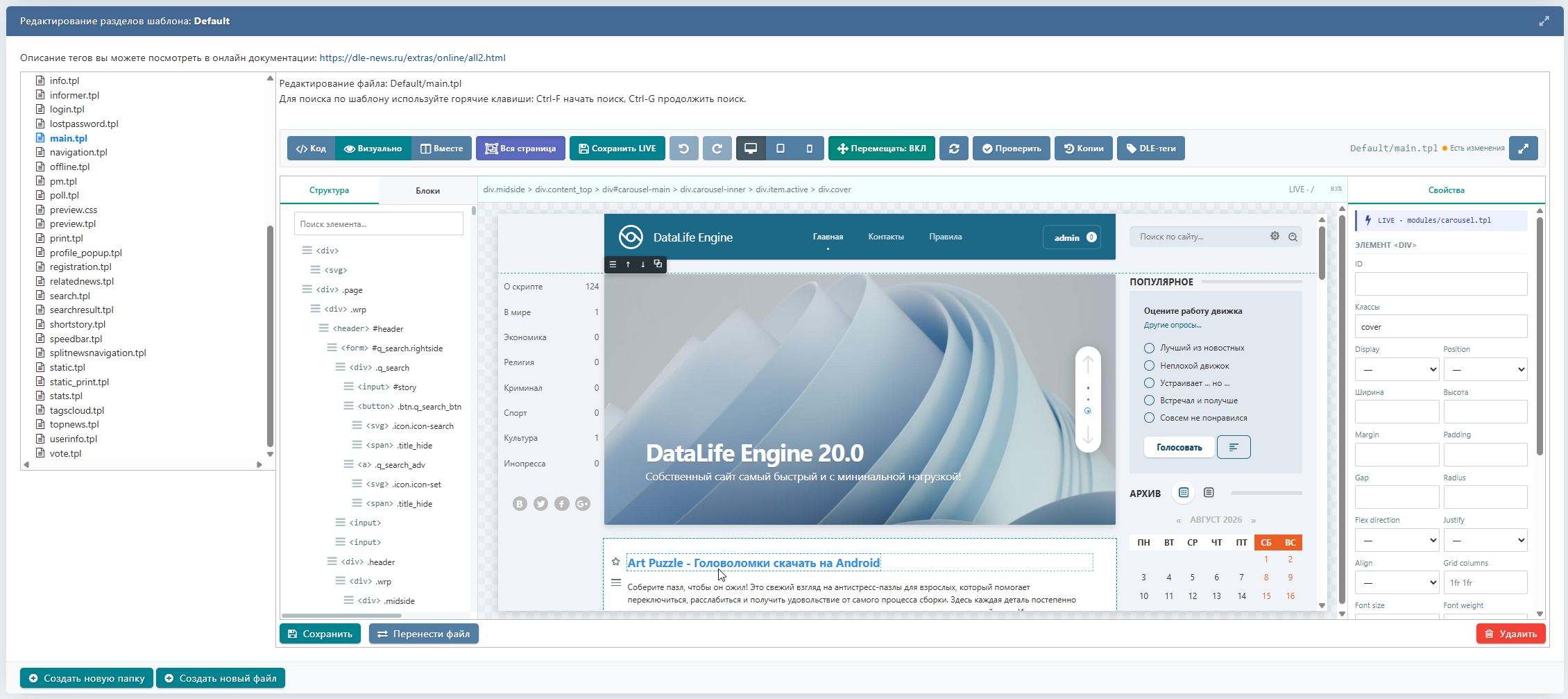
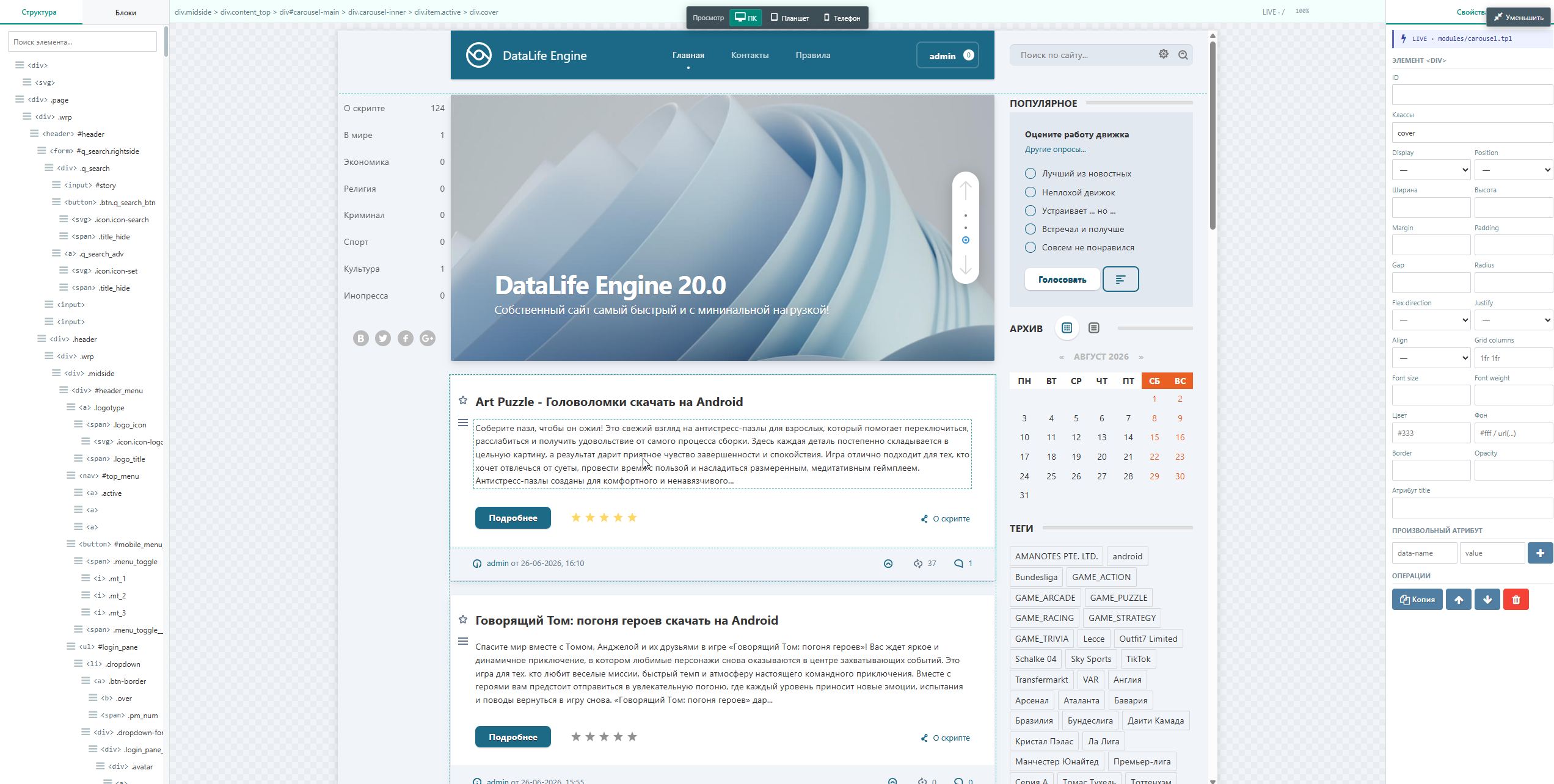
In the visual editor, you can select elements directly on the page, change their sizes, margins, colors, classes, styles, and other properties, add new blocks, images, buttons, columns, and containers, copy and delete elements, and also drag blocks with the mouse.
Full description
Main Features
- visual editing of
.tplfiles; - the standard DLE code editor remains available;
- «Code + Visual» mode;
- view the entire assembled page;
- LIVE preview of the page as on a real site;
- work with DLE tags and constructs;
- drag and drop blocks with the mouse;
- adding ready-made elements and sections;
- uploading and replacing images;
- changing CSS properties without manually writing code;
- page structure tree;
- PC / tablet / smartphone modes;
- fullscreen editing;
- Undo / Redo;
- backup copies before saving;
- saving changes back to the original templates.
Screenshots
Comments (2)
To leave a comment, log in via Telegram
rybakovpro
14 сентября 2026
Плагин не работает если у вас установлен любой другой плагин, поддержка не помогает вообще никак

devupoff
14 сентября 2026
Плагин может не работать только в одном случае, если у вас какой то сторонний модуль изменяет те же файлы что при установке изменяет данный плагин. По бесплатным продуктам техническая поддержка не оказывается.

Product reviews (0)
No reviews yet.